You finished the interview. Your plan is sitting there — structured, thorough, full of the details you would have forgotten on your own. Now you need to use it.
The plan is clean markdown, which means it goes anywhere. Three ways to take it with you, each about ten seconds.
Copy and paste into any tool
The Copy Plan button is in the sidebar, right next to your plan. One click and the full markdown is on your clipboard.
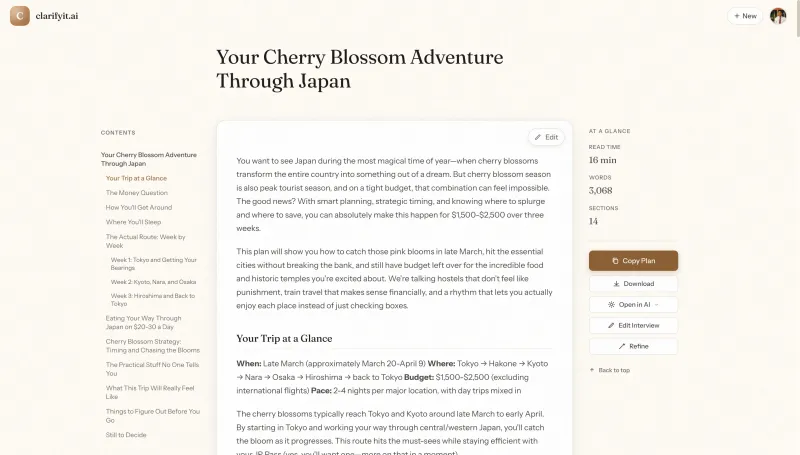
Paste it into Claude, ChatGPT, Cursor, Notion, a Google Doc, or an email. This is the most flexible option — it works with anything that accepts text.
The plan keeps its structure wherever you paste it. Headers, bullet points, numbered lists — it all comes through clean. No reformatting needed.
Download as a markdown file
The Download button saves a .md file named after your plan title. It lands in your downloads folder like any other file.
This is useful when you want to archive the plan, share it with a teammate, or add it to a project repo. If you keep documentation in git, Notion, or Confluence, downloading gives you a file you can drop right in.
It is also the best option for offline use. The file is yours — no account needed to open it later.
Open directly in Claude or ChatGPT
Click Open in AI and pick your tool from the dropdown. Your plan opens in a new tab, pre-loaded and ready to go.
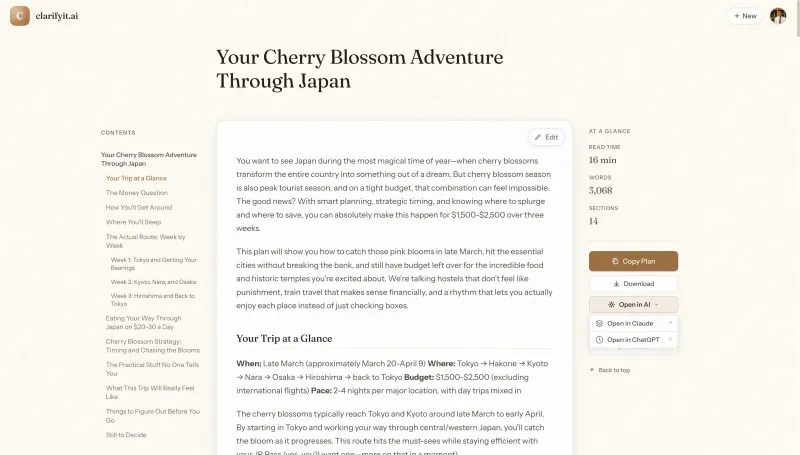
No copying, no pasting, no context-setting. Claude or ChatGPT already has your full plan. Just tell it what to do next.
This is the fastest path from plan to execution. Two clicks and you are talking to an AI that already knows your constraints, decisions, and priorities.
What to say when you get there
The plan gives the AI all the context it needs. But you still need to tell it what to do. A few starters:
- “Break this plan into weekly milestones with deliverables.” Good for turning a plan into a project schedule.
- “Review this plan and flag anything I missed or contradicted.” Useful as a second pair of eyes before you commit.
- “Write the first draft of [specific section].” Let the AI do the heavy lifting on a section you have been putting off.
- “Turn this plan into user stories for my dev team.” Translates a high-level plan into something engineers can pick up.
The point: the plan replaces the long, rambling prompt you would have written from scratch. The AI already has your constraints, preferences, and decisions. You skip explaining everything from memory and go straight to useful output.
More on why a structured plan beats the blank page.
The plan is the hard part
Figuring out what you want, making the tradeoffs, catching the gaps — that is the real work. Exporting is the easy part.
Start a plan on clarifyit.ai and take it wherever you need it.